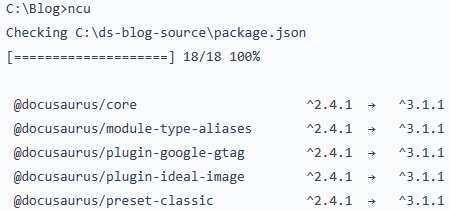
Upgrading my blog to Docusaurus 3.0

Upgrading my blog to Docusaurus 3.0 was mostly a foundation change, but it surfaced real gotchas. The MDX v3 checker failed on two posts because unescaped “{” characters in connection strings, so I moved them into code blocks. I learned more about npm, semantic versioning, and package-lock realities, plus updated Prism renderer config after themes moved and defaults changed again.
Missing rows in the Accounting Period table in SuiteAnalytics Connect

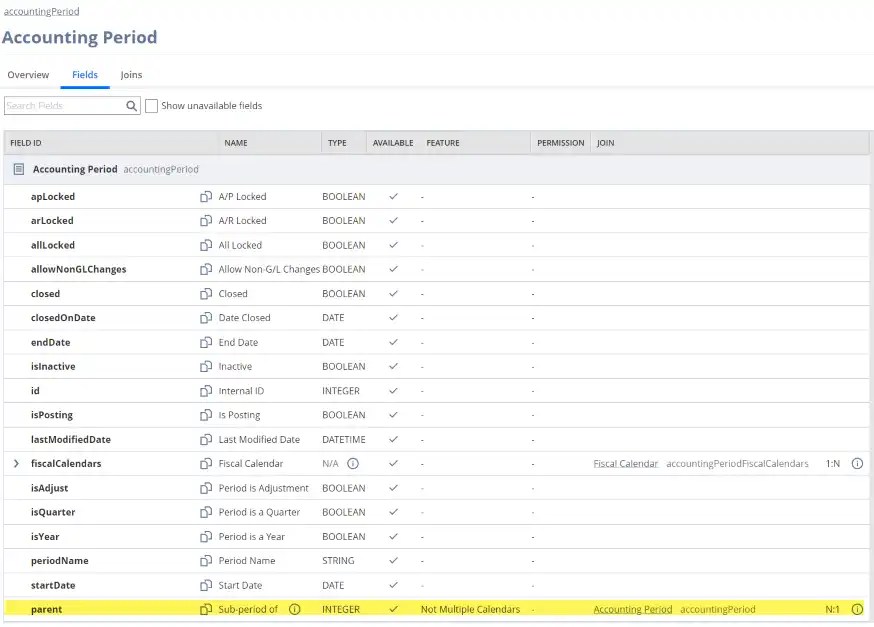
While moving ETL from NetSuite.com to NetSuite2.com via SuiteAnalytics Connect, I hit a weird issue: the accountingPeriod table looked like it was missing recent and future periods. After checking row counts and testing queries, I found the culprit was the parent column—adding it cut results from 315 to 171. The fix: join accountingPeriod to fiscal calendar tables instead.

Syntax Highlighting in Docusaurus

Docusaurus uses Prism for syntax highlighting, and that’s a big win when you write about niche languages like DAX and Power Query (M). In this post I walk through adding extra Prism languages in docusaurus.config.js, restarting the site, and using the right code-fence aliases. I also show how to swap Prism themes for light/dark mode to match your site’s look

Using Environment Variables in Docusaurus

Using environment variables allows us to to store configuration values outside of the source files. During the build, the reference to the environment variable will be replaced with the values specified. The configuration data is the part of the project that can vary between test and production. Storing the configuration values in one place it … Continue reading Using Environment Variables in Docusaurus

Adding Comments to Docusaurus

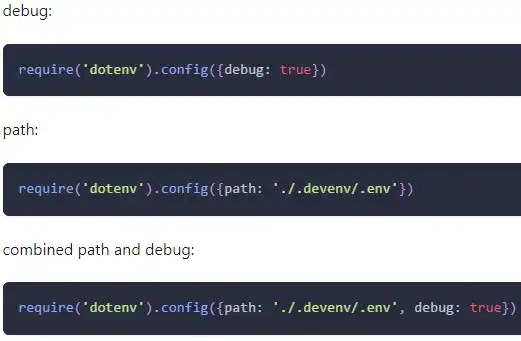
Docusaurus can’t read Node environment variables directly in components, so I use dotenv to load a .env file into process.env, then pass values through customFields in docusaurus.config.js. I show installing dotenv, testing with console.log, and wiring variables into Giscus comments. For dev vs prod, NODE_ENV selects different .env paths—keeping secrets and config out of source for builds and deployments.